Exploring ZenCreator? Create portraits, product visuals, and scene ideas in SeaDance. Start with text or a reference, refine your image, then bring it into motion.
Three visual directions, each with a brief you can copy and make your own.
PORTRAIT / 01
An editorial moment
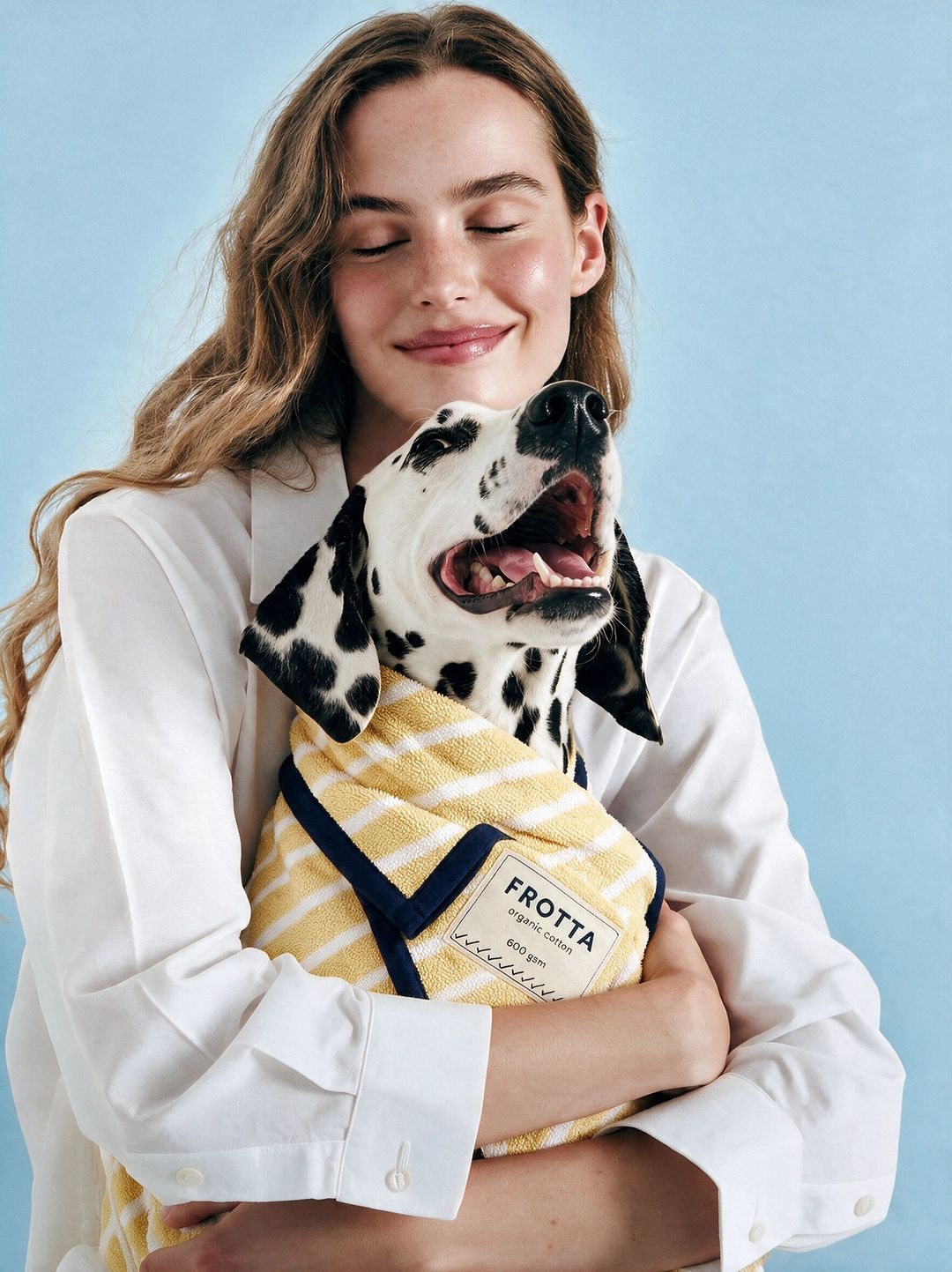
An editorial portrait of an adult woman in a white shirt holding a Dalmatian, soft blue studio backdrop, natural window light, relaxed expression, carefully framed hands, realistic fabric and fur, vertical composition.
PRODUCT / 02
Make the product the story
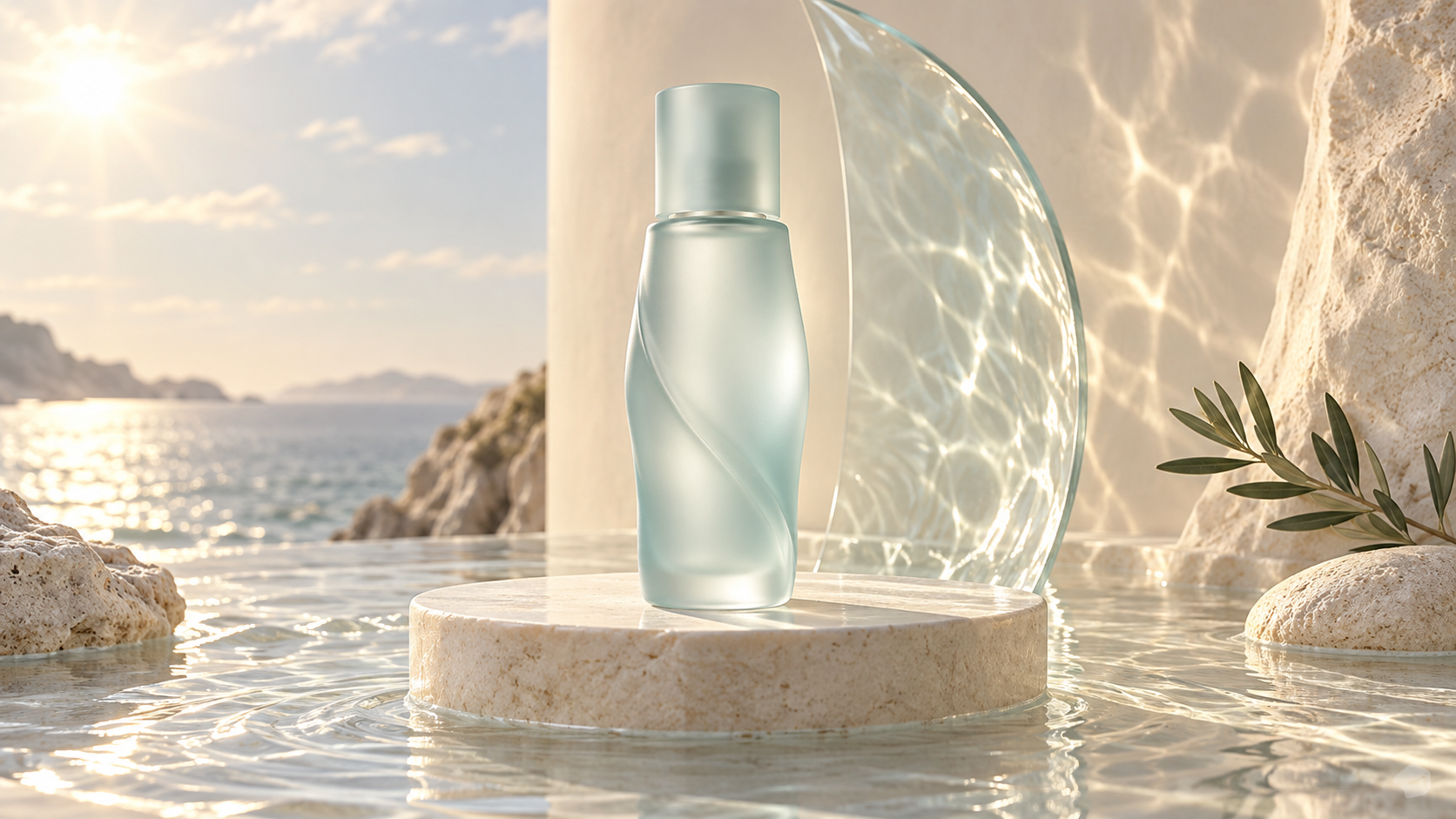
A pale green glass skincare bottle on a round limestone plinth beside the sea, warm morning light, soft water reflections on the wall, uncluttered composition, realistic glass, space around the product, no added text.
CONCEPT / 03
Go beyond the everyday
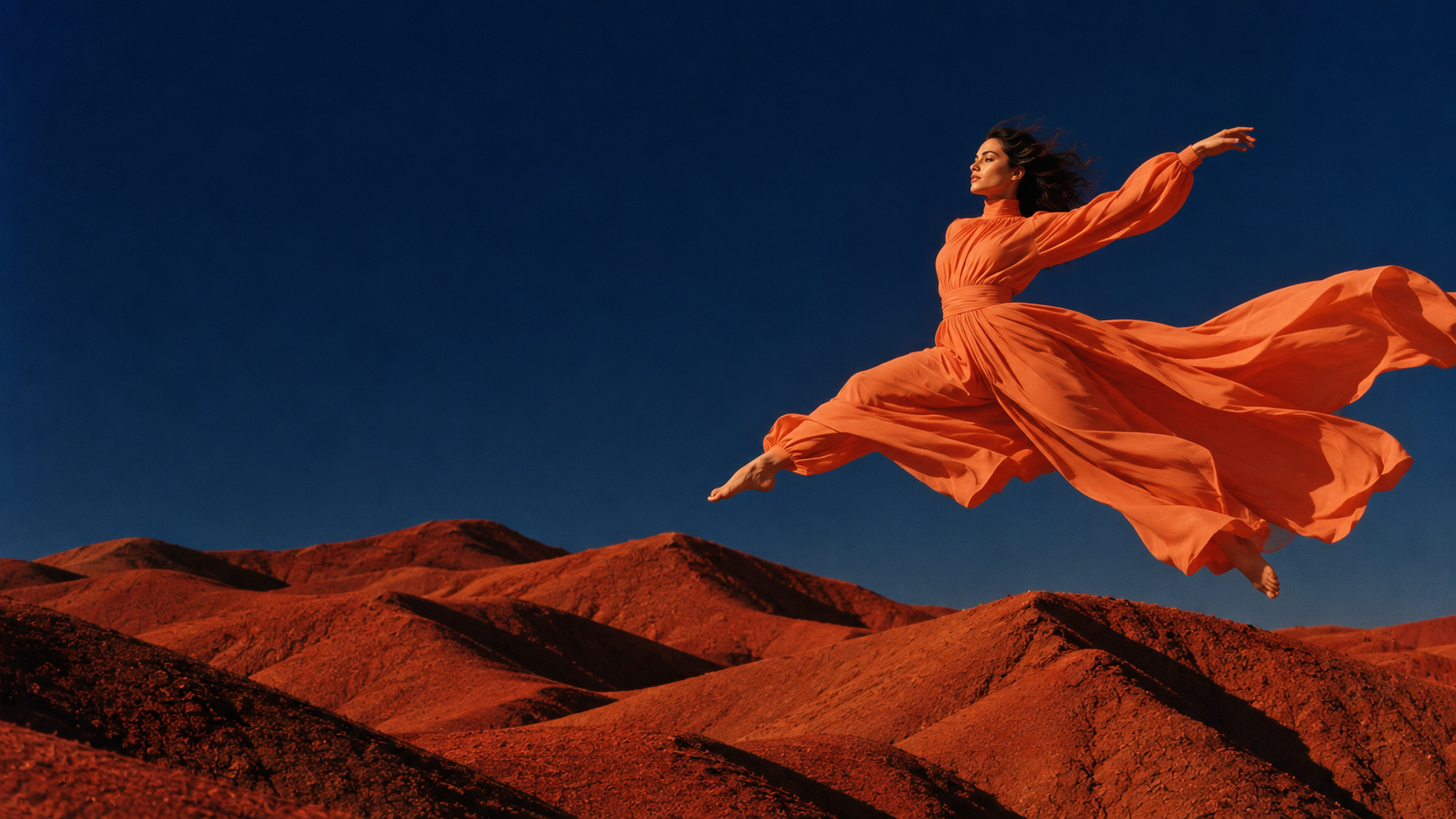
An adult dancer in a flowing orange dress leaping above a rust-red desert, deep blue sky, wide editorial composition, sculptural fabric movement, late afternoon light, a clear silhouette, no added text.
Creative direction examples from MAGI-2 assets. Sample briefs are starting points; results will vary.
MAKE IT IN MAGI-2
Your image. Your direction.
Create with MAGI-2's image tools. Choose a model, write your brief, and check the credit estimate before generating.
ZenCreator is a separate AI photo and video platform. If you are exploring another way to develop your visuals, this page brings together MAGI-2's image generation, reference editing, and image-to-video tools. Choose a starting point that fits the work you want to make.
Real model choicesCredits shown before generationYour own creative direction
A FEW THINGS TO KNOW
ZenCreator, MAGI-2, and your next idea.
Choose the workflow with a clear picture of how it works.
What is ZenCreator?
ZenCreator is a separate platform for AI photo and video creation. This page introduces MAGI-2 workflows for creating images, refining references, and exploring video ideas.
Is this the official ZenCreator service?
No. This is a MAGI-2 page. The tools, models, accounts, and credits used here belong to the MAGI-2 service. MAGI-2 is not affiliated with ZenCreator.
How can I use MAGI-2 as a ZenCreator alternative?
Start with the image workspace on this page for a text-led visual or a reference edit. If you want to animate a finished image, open MAGI-2's image-to-video tool. Choose the workflow that matches your project rather than expecting identical features or results across services.
Can I start with an existing image?
Yes. Use image-to-image to guide a new visual with a reference, or image-to-video to develop a moving scene from a still. Available controls depend on the selected model.
Can I use my ZenCreator credits here?
No. MAGI-2 accounts and credits are separate. Review the current generation estimate and MAGI-2 pricing before submitting a task.
Were the example images made with ZenCreator?
The artwork on this page comes from MAGI-2's existing creative assets and illustrates possible visual directions. It is not a ZenCreator benchmark or a claim that a sample prompt will reproduce the same image.
An outfit change shown alongside the original portrait, illustrating preservation of facial features.
Reference prompt
Edit the uploaded portrait: replace the clothing with an elegant ivory tuxedo jacket, white shirt and black bow tie. Preserve the person's recognizable facial features, age, skin tone, hairstyle, pose and framing. Keep a softly lit blue studio background and natural photographic skin texture. Return a single edited portrait, without comparison panels or text.
A suggested prompt inspired by this example, not the original. Results will vary. Upload your own reference image to try this edit.
 PORTRAIT / 01